







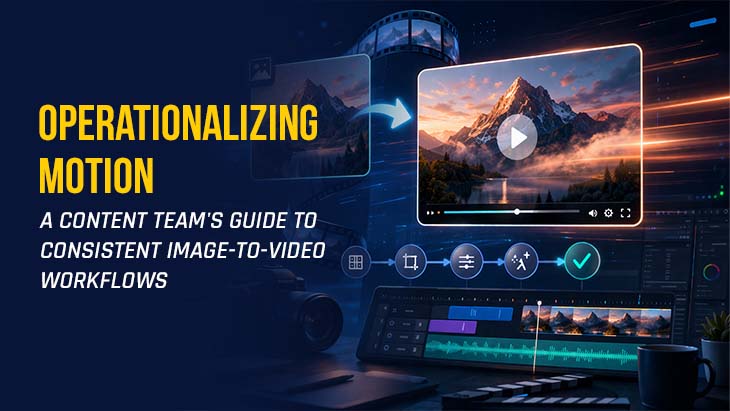

The novelty of generative video is rapidly being replaced by the necessity of production speed. For content teams, the challenge has shifted from "Can we animate this?" to "How do we animate a hundred of these by Tuesday without losing the brand's visual identity?" The move toward operationalizing generative media requires a transition from the experimental "slot machine" approach of prompting to a structured pipeline that treats motion as a predictable asset class.
The most effective way to ensure this consistency is through a two-step generation process. Instead of asking an AI to manifest a scene from raw text—an approach that often leads to "hallucinations" and inconsistent character or environment rendering—modern teams are utilizing a "static-first" methodology. By generating or selecting a high-fidelity reference image first, teams establish a "ground truth" for the visual. Only once that visual is approved do they move into the motion phase.
The Strategic Shift to Image-Grounded Animation
When a team integrates Image to Video AI into their stack, they are essentially buying back the hours previously spent on complex keyframing and manual rigging. The primary advantage of this workflow is the decoupling of aesthetic direction from motion direction.
In a text-to-video workflow, the AI attempts to interpret the style, the subject, the lighting, and the movement simultaneously. This often results in a loss of control. By contrast, a workflow built on Photo to Video technology allows the art director to lock in the color grading, lighting, and composition within a single frame before any movement is calculated. This "reference frame" acts as a boundary, forcing the AI to maintain the integrity of the original asset.
For content teams, this means the creative lead can approve a set of character portraits or product shots in the morning, and the junior editors can spend the afternoon generating a variety of motions—panning, zooming, or character interactions—knowing that the core visual identity is already baked in.

Building the Technical Pipeline: Models and Parameters
Operationalizing motion requires a deep understanding of the tool's underlying engine. Most creators are familiar with "Text to Video," but the real professional utility lies in the "Image to Video" and "Photo to Video" tabs. Here, teams must manage several technical variables to ensure the output matches the intended platform.
1. Model Selection Teams should evaluate models based on the specific movement required. Some models, like the Seedance 1.0 Lite, are optimized for fluid, natural transitions and are ideal for social media content where the motion needs to feel organic. Others, such as Veo 3.1 Basic, might be better suited for cinematic pans or architectural walkthroughs. Understanding which model excels at which type of movement is a prerequisite for any team trying to scale production.
2. Aspect Ratio Standardization Consistency across channels is non-negotiable. A content team cannot afford to re-generate or awkwardly crop videos after the fact. Professional tools now offer a range of aspect ratios—from the cinematic 21:9 and standard 16:9 to the mobile-first 9:16 and 4:5. Operationalizing this means creating a mandate: "All Instagram Reel assets must be generated at 9:16 using the same base image to ensure the subject remains centered."
3. The Power of Seeds In generative AI, the "Seed" is the DNA of the generation. For teams, this is a vital tool for reproducibility. If a specific movement style—say, a slow-motion hair flip or a subtle wind effect—is perfected, the team should record that seed number. This allows them to apply nearly identical motion dynamics to different base images later, creating a "series" of videos that feel part of the same campaign.
Collaborative Workflow: From Prompt to Deployment
To move from an individual creator's hobby to a team-wide operation, the workflow must be documented. A typical high-output content team might follow a four-stage process:
Stage 1: Asset Preparation This is where the high-resolution source image is created or curated. Teams might use an AI Image Maker to generate a perfect scene or use existing product photography. The goal is to provide the Image to Video AI engine with the highest possible visual clarity. Blurry or low-contrast source images will inevitably lead to "muddy" video artifacts.
Stage 2: The Motion Prompt Unlike text-to-video prompts, which describe everything, image-to-video prompts should focus almost exclusively on physics and camera movement. Instead of saying "A beautiful woman standing in a forest with sunbeams," the prompt should say "Subject blinks slowly, cinematic pan right, leaves rustling in the background." The image already told the AI about the woman and the forest; the prompt only needs to describe the time-dimension.
Stage 3: Generation and Iteration The "Public Visibility" vs. "Private" settings are crucial here. For internal brand projects or client work that hasn't launched yet, teams must ensure they are working in environments that protect their IP. During this phase, several variations are generated. The operator looks for "temporal consistency"—checking that the subject's face doesn't morph or that the background remains stable throughout the clip.
Stage 4: Post-Production and Polishing The raw output from a Photo to Video generator is rarely the final product. It is a "plate" that then moves to a traditional editor. This is where music, text overlays, and color corrections are applied. By treating AI video as a component rather than the finished product, teams maintain a higher level of professional polish.

Managing Quality Control and "The AI Look"
One of the biggest risks content teams face is the "uncanny valley" or the overly smoothed look that can sometimes plague generative media. Operationalizing consistency means setting a quality bar that prevents these artifacts from reaching the public.
Teams should develop a "Red Flag" checklist for their QA process:
Edge Warping: Does the background distort when the subject moves?
Light Bleed: Does the lighting shift inconsistently between the first and last frame?
Anatomical Logic: Do hands, eyes, and limbs maintain their shape throughout the motion?
By having a dedicated reviewer who isn't the person who wrote the prompt, teams can catch these errors early. This is especially important when using tools like the "Animate Old Photos" or "AI Hug Video" features, where the emotional weight of the content relies heavily on the realism of human interaction.
Conclusion: Scaling the Human Element
The ultimate goal of operationalizing Image to Video AI is not to remove the human from the loop, but to move the human to a more strategic position. When the "grunt work" of frame-by-frame animation is handled by a Photo to Video engine, the creative team is free to focus on storytelling, pacing, and emotional resonance.
The teams that will win in the next phase of digital marketing are those that view these tools as a "motion engine" that requires a skilled driver. By standardizing prompts, protecting brand assets with an image-first approach, and maintaining a strict review process, organizations can scale their video output by 10x or 100x without sacrificing the quality that defines their brand. Consistency is not about the AI; it is about the workflow the human team builds around it.





Post Comments