









People complain not because of the service or product. Sometimes, it happens when business locations are difficult to pinpoint, or the directions are unclear.
But even without these reviews, the fewer walk-ins, late arrivals, no-shows, and increase in calls or messages asking, “Where exactly are you?” already hint at this issue.
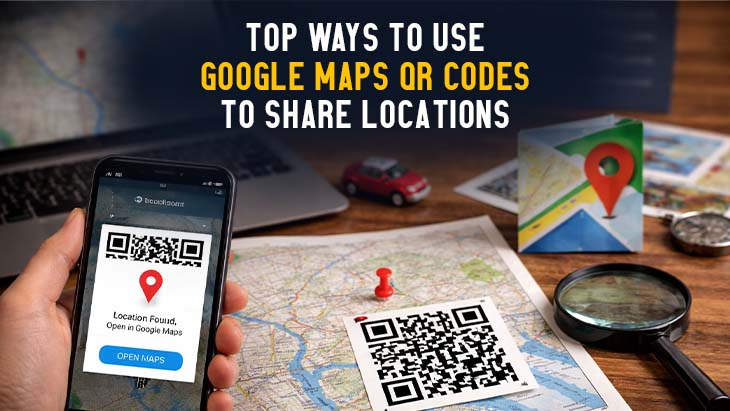
Before these things cost you foot traffic and sales, you can provide people with a better and faster way to reach you. Using a Google Maps QR code, people can open the app on their smartphones with the exact location pinned and view the quickest routes to it.
To give you a better idea of how this simple tool helps people find your address faster, this guide explains various ways to use a QR code for location sharing.
Effective uses of a location QR code
Here are some simple and practical ways to use a location QR:
Guide to physical stores
You can share a Google Map QR code with your customers, allowing them to easily locate your brand’s nearest store or branch, with the complete address and directions. This makes it easier for people to find the shop, bringing in more visitors and helping increase in-store sales.
Directions to tourist attractions
To help tourists find nearby attractions in your city or town, consider using a QR code for Google Maps. Place it on signs, brochures, or informational boards where it’s easily accessible. When travelers scan it, they can see a spot’s location right away and get directions without confusion.
Digital school maps
For campuses and universities, you can make location QR codes to help students and visitors easily find classrooms, facilities, and event venues. They scan it and view the map on their phones. It makes the school grounds easier to navigate, improving the campus experience.
Event venue navigation
Using a QR code location is helpful for guiding attendees around the event venue. Place them in specific sections, such as entrances, registration areas, and other large gathering spaces, to provide easy digital access to directions.
Digital property viewing
For a more convenient property viewing experience, you can provide interested buyers with a QR code that redirects them to an exact location on Google Maps. They can view the property’s surroundings through it, allowing them to make an informed decision before closing the deal.
Scavenger hunts
Using a free Google Maps QR code maker, you can create QR codes containing the exact locations for an interactive scavenger hunt. You can print and place them at various locations throughout the venue, providing participants with clear directions on where to go next.
And if you combine it with geofencing, you make sure that participants can only scan the QR code when they are at the exact location.
Guide for public transport
Location QR codes are particularly helpful for commuters who want to know the nearby bus stops and train stations in their areas. For example, in your store, you can post a Google Maps QR code to provide people with directions to the nearest public transportation system.
Directions to accommodations
Ensuring a safe, simple, and stress-free navigation is part of a good service. You can include a Google Maps QR code in booking confirmations to let guests view the Airbnb or hotel’s exact location on the app, including the directions, nearby landmarks, and estimated travel time.
Directions to healthcare facilities and clinics
One of the most essential conditions for making healthcare services accessible to people is to provide clear directions to clinics, hospitals, and health facilities as well. Consider including location QR codes on posters and public information boards to provide patients with directions.
Travel destination guides
Convert the Google Maps link of your location to a QR code for free to provide travelers with an interactive overview of a specific travel package from your agency.
It helps them visualize and plan out their trip in advance. Without stressing out on the navigation part, they can fully enjoy the travel experience.
Product tracking
You can incorporate QR code tracking on your products, ensuring that it reach the correct destination. Both your team and the recipient can scan the QR codes to track the products as they move through the supply chain.
How to make location QR codes
To take a QR code for a location, find your location in the Google Maps app, copy the shareable link, and then paste that URL into a free location QR code generator online. You can also enter the exact coordinates of your chosen location directly into the generator.
A few recommendations are QR TIGER, Free QR Code Generator, or QRCode Monkey. These are platforms that allow you to create a QR code from Google Maps link or coordinates.
Once the location is pinned, generate the QR code. Customize it, if this option is available, and download.
Your map to success
A Google Maps QR code is a simple yet powerful tool that helps people find directions and reach their destinations quickly and easily.
By offering instant, accurate directions, you improve the experience while increasing the likelihood that people actually show up.
If your goal is to make your location easier to reach, a location QR code is a practical solution that fits naturally into both your physical and digital touchpoints.



Post Comments