







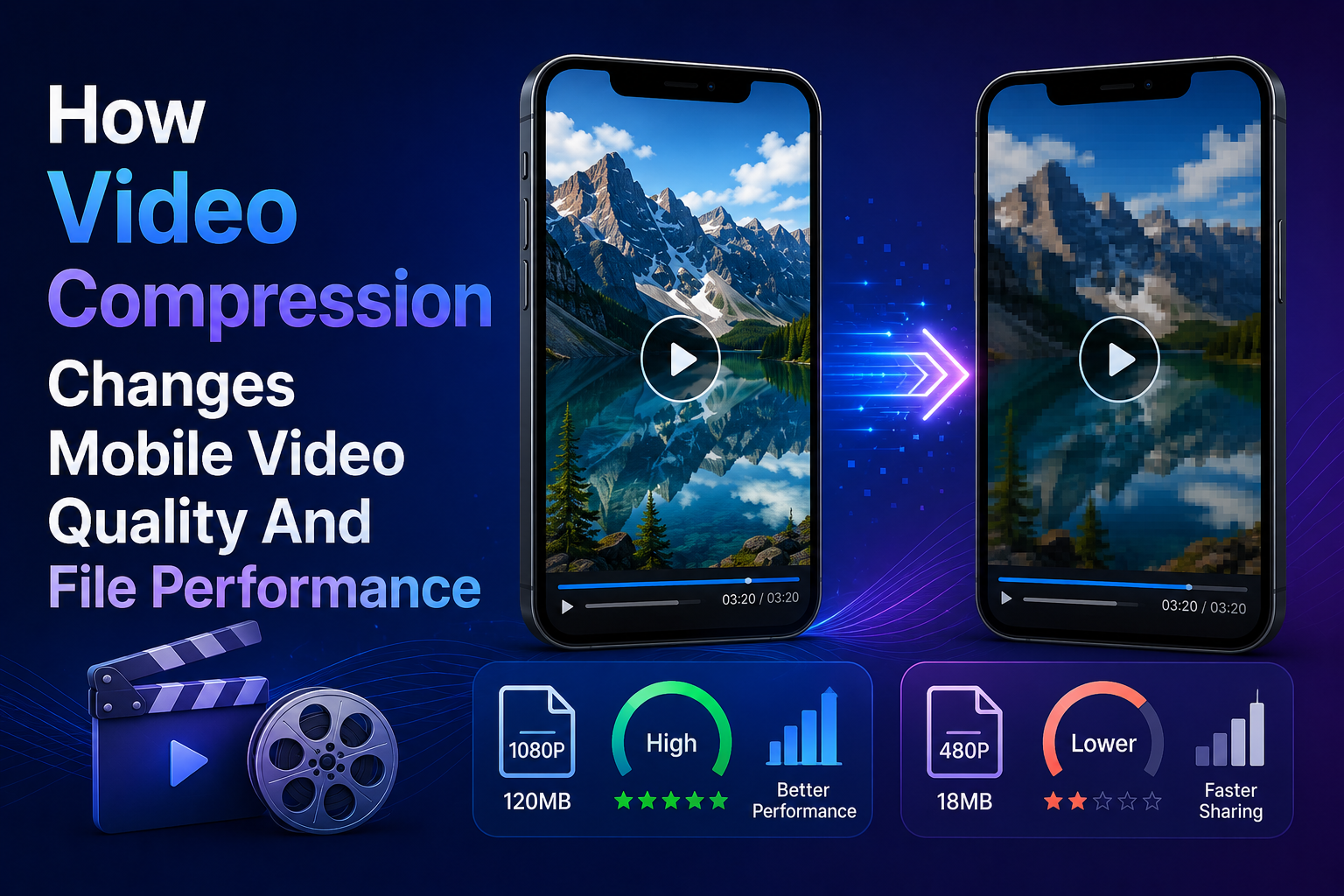

Video-making on mobile devices seems quite simple from a recording point of view. People record their videos, trim them, make any required adjustments, and publish. The technical troubles usually come after that — when videos fail to share because the files are too heavy, uploads keep hanging, exported videos are not sharp enough, and the very same video file has different results on a website or a social media network.
That is why the compression step is expected in the chain of operations related to mobile video creation. If people move their videos between phones, cloud services, editors, partners, clients, etc., a video compressor may prove handy without adding extra burden to the process. This feature is extremely beneficial for creators, startup founders, marketing experts, and product managers dealing with demo videos, vertical videos, explanations, app presentations, tutorial videos, etc.

What video compression really does
Video compression can be described as the process of reducing the size of a video file by removing some of its data. Video is made up of a number of components including frames, audio, color, movement, metadata, and encoder settings. Without compression, the small video will still be relatively large in order to manipulate it easily. The video has been compressed, hence reducing its size, but becoming blurry.
The proper compression technique ensures that all that will remain in the video are just the relevant aspects, while everything else is taken out. Compression reduces redundancy and makes complicated matters simple and able to capture movements. For example, in the case of a person speaking against a wall, most of the wall remains stationary throughout the different frames. The compressor will therefore make do with less repetition rather than repeating the pixels.
This is why some clips compress better than others. A calm talking-head video can become small and still look sharp. A street video with cars, people, signs, reflections, shadows, and handheld motion needs more data to stay clean. Bitmovin explains this clearly in its video encoding guide, where it breaks down how encoding uses compression methods to store video more efficiently.
Mobile footage creates its own problems. Phone cameras often apply processing before the user even starts editing. The video may already be sharpened, stabilized, brightened, and compressed inside the phone. Then, the footage will have an additional export process in a video editing software application, followed by an additional round of compression when uploaded to Instagram, TikTok, YouTube, LinkedIn, or a web page. Every extra step can affect the final image.
Why bitrate can matter more than 4K
Resolution is one of the first factors people notice, so there is much focus on it. Most individuals tend to think that 4K is synonymous with better quality. However, resolution is a measure of the number of pixels contained in the picture. There is no indication of how many bits of data will be allocated for describing these pixels.
Bitrate is the amount of data used to encode one second of video. Generally speaking, a higher bitrate gives the encoder some space to maintain more details in a sequence. But since the low bit rate will make it small enough and also increases the chances of blurring movement, shadowing, gradient banding, or text blurring, the 4K video will turn out even worse than the highly compressed one from 1080p. The video consists of many pixels, and none of them contain adequate data in order to produce the image. Video Bitrate by ImageKit shows how bitrate impacts image quality and file size.
In most instances, 1080p would be an ideal resolution choice to use while designing mobile content. It would be appropriate when posting images on social media platforms, websites, creating product images, creating explainer videos for your firm, and even creating ads. Conversely, when shooting your videos, 4K could be useful in case you want more space for cropping or reframing your images.
Several technical settings shape the final result:
- The resolution refers to the dimension of the frame, like 720p, 1080p, or 4K.
- The bitrate is the total bits of information being used per second.
- The codec refers to the method of encoding video information, such as H.264 and H.265.
- The frame rate refers to the smoothness of the video, including 24 fps, 30 fps, and 60 fps.
- Container defines the packaging format of your video file, like MP4, MOV, and WebM.
An MP4 with H.264 remains among the most secure options when seeking wide compatibility. H.265 allows more efficient compression, though there may be difficulties using some processes or older hardware. In terms of quickly posting or sharing content, compatibility becomes as vital as resolution.
Why phone footage reacts strongly to compression

Video captured on a mobile device has the potential to look stunning. However, it will be greatly affected by how it is shot. Compression is best applied to images that are clear and predictable. It struggles when the frame contains too much random detail.
Low light is one of the biggest issues. When a phone camera records in a dark room, it often increases digital gain. This creates noise, especially in shadows. Noise changes from frame to frame, so the encoder has to spend more data trying to preserve random grain. The result can be a larger file or a cleaner file with visible smearing.
Movement is another factor. A stable shot gives the encoder repeated visual information. A shaky shot changes the whole frame constantly. That means the compression algorithm has less stable data to reuse. A simple tripod, phone stand, or gimbal can improve quality and file performance at the same time.
Screen recordings also need special care. The screenshots frequently have small text, icons, buttons, cursor actions, dashboard interfaces, and clean user interface lines. If the compression is very aggressive, then the interface becomes illegible. This will be important in the context of videos that show how software is used.
Creators and teams can improve compression results before opening any online video editor:
- Shoot in good light whenever possible.
- Keep the phone stable during key shots.
- Avoid fast random camera movement.
- Before recording, clean the camera lens.
- Record high-quality sound next to the speaker.
- Keep backgrounds simple for talking videos.
- Avoid unnecessary digital zoom.
- Save the original file before editing.
These habits make the source file cleaner. A clean source gives better results after trimming, resizing, exporting, or using an online video compressor.
How compression affects websites and publishing
File size is not only a storage problem. It affects upload speed, review time, mobile playback, page loading, and user experience. A large video may look great inside the phone gallery, then become inconvenient when it has to be sent to a client, uploaded to a CMS, placed on a landing page, or shared through a team chat.
For websites, video weight can directly affect performance. Heavy videos may slow down pages, especially on mobile connections. That can hurt landing pages, product pages, blog posts, support centers, and campaign pages. Cloudinary’s guide to video optimization explains how reducing file size and delivering the right video version can improve loading behavior while keeping acceptable quality.
Social platforms also apply their own compression. Just because the uploaded file is a decent representation of the content on the device does not mean that the platform will not perform a re-encoding process. This results in the creation of several generation copies of the video, from recording through to playback. Each generation can remove more information.
A smart workflow keeps this under control. The original file should stay safe. The edited master should be exported with enough quality. Compressed versions can then be created for review, sharing, web pages, or quick publishing. This avoids using one random export for every purpose.
For instance, an entrepreneur could have a master version of product demonstration in the highest possible quality, make an MP4 version of the content that is smaller in size but maintains visual quality for the website, create the vertical format for use on TikTok or Instagram Reels, and even produce a smaller file version for email review.
Getting it right

It does not necessarily mean that the most compressed file should always have the minimum size. You should find the right balance between the two criteria. A background video on a homepage is less demanding since the task of this file is to provide additional value visually. A tutorial that includes text may require better compression. An ad that costs you money can benefit from good quality. And, perhaps, an internal company update will be better delivered using speed.
Compressed mobile videos depend on the whole process, including the initial recording settings, lighting conditions, type and level of motion, sound quality, codec used, bit rate, resolution, editing techniques, exporting, and, of course, the destination channel. While video compression takes place towards the end of the production, it shows all the work done previously.
For individuals and small groups, the most effective technique is one that is easy to apply repeatedly – shoot clear footage, retain the raw files, edit for a reason, export for use on the target social media platform, compress if necessary, and view the result on an actual phone screen.
Should mobile editing be a stage in their editing flow, Clideo Video Editor App - https://apps.apple.com/us/app/clideo-video-editor/id1552262611 - will be an excellent choice in the middle stage where editing is performed prior to upload and publication. Provided best practices are adhered to, Clideo-like mobile editing and video file compression techniques can prevent many problems from arising in the first place.





Post Comments