








Have you ever noticed how busy restaurant kitchens manage dozens of orders at the same time and still keep food moving quickly?
In many modern restaurants, digital tools help the kitchen team stay organized. One of the most useful tools used today is a kitchen display system.
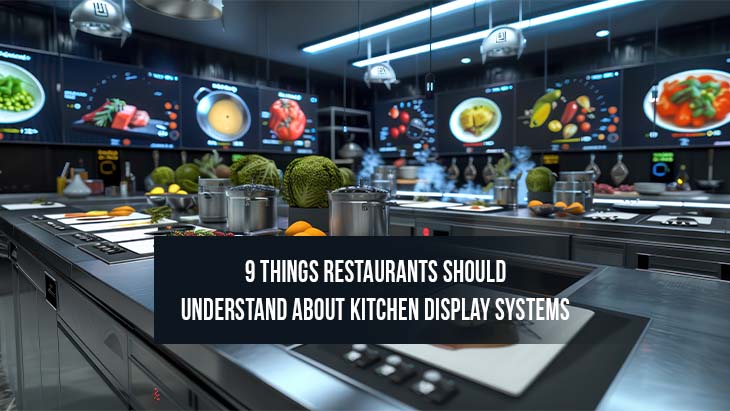
A kitchen display system shows orders on a digital screen inside the kitchen. Instead of reading handwritten tickets, chefs and kitchen staff can view clear order details on the screen. The system connects with other restaurant tools, such as the restaurant cloud based pos, which sends order information directly to the kitchen. This connection helps the entire restaurant team stay organized and work smoothly.
Below are nine important things restaurants should understand about kitchen display systems and how they support daily restaurant operations.
1. Kitchen Display Systems Help Organize Orders
Restaurant kitchens handle many orders during busy hours. A digital display helps keep these orders structured so that the kitchen team can manage them comfortably.
Clear Order Visibility
When an order is placed at the counter or through a POS terminal, the details appear on the kitchen screen. Each order shows the menu items, quantity, and special instructions.
Because everything appears clearly on the screen, the kitchen team can prepare dishes in an organized order. Staff can quickly check which orders are new and which ones are already being prepared.
This clear order visibility helps the kitchen stay calm and focused even during busy service hours.
2. Faster Communication Between Staff
Good communication between the front staff and kitchen team plays an important role in restaurant service.
Direct Order Transfer
When staff take an order using a POS terminal, the information moves directly to the kitchen screen. This direct connection between the ordering system and the kitchen display keeps communication simple.
Servers do not need to walk into the kitchen to repeat orders. The chefs can see the information immediately on the screen. Restaurants using a kds system often experience smoother communication between teams because everyone sees the same order information at the same time.
3. Clear Instructions For The Kitchen Team
Many customer orders include special requests. For example, customers may request extra toppings, specific cooking styles, or ingredient changes.
Detailed Order Notes
When these instructions are entered in the ordering system, they appear directly on the kitchen screen. The kitchen staff can read these notes clearly before preparing the dish.
Because the instructions are displayed digitally, chefs can easily follow the order details. This helps the kitchen maintain consistent food preparation and clear communication with the service team.
4. Support For Busy Kitchen Environments
Restaurant kitchens often work at a fast pace. Digital systems help the team manage multiple orders at the same time.
Order Queue Management
The kitchen display system organizes incoming orders in a queue. New orders appear on the screen while existing orders move forward in the preparation process.
Chefs can view the list of orders and decide which dishes to prepare first. The screen also helps staff track which orders are ready and which are still in preparation.
5. Clear Coordination Between Stations
Many restaurant kitchens have separate stations for different tasks such as grilling, frying, or plating dishes.
Organized Task Distribution
A kitchen display system can show specific items to the right station. For example, grill items can appear on one screen while beverage orders appear on another screen.
This arrangement allows each kitchen station to focus on its assigned tasks. The team can coordinate their work smoothly because everyone sees the orders related to their section.
Clear coordination between stations helps the kitchen maintain an organized rhythm during service.
6. Useful Support For Multiple Ordering Channels
Restaurants today often receive orders from several sources. Customers may place orders at the counter, online, or through a drive-thru lane.
Unified Order Display
A kitchen display system gathers orders from different channels and shows them in one place. This helps the kitchen team track every order without confusion.
For example, restaurants that offer quick-service options can connect their system with a drive thru system. When a customer places an order at the drive-thru window, the information appears on the kitchen display just like other orders.
7. Real-Time Order Tracking
Restaurants benefit when staff can track orders while they are being prepared.
Instant Order Updates
As the kitchen team works on each order, they can mark the order status on the display screen. The system then updates the order progress in real time.
The front staff can also see the order progress through the POS system. This helps them inform customers about the preparation status.
Real-time updates keep everyone informed and help maintain smooth coordination between staff members.
8. Improved Kitchen Workflow
Digital systems support a well-structured kitchen environment.
Structured Food Preparation
Because the kitchen display organizes orders clearly, chefs can prepare dishes in the correct sequence. The screen shows which order arrived first and which ones are next.
This helps the team maintain a consistent preparation flow. Each station can complete its tasks while keeping track of incoming orders.
The result is a steady and organized workflow inside the kitchen.
9. Helpful Insights For Restaurant Management
Restaurant managers often like to review how the kitchen operates during service hours.
Kitchen Performance Visibility
A kitchen display system records useful operational data. Managers can review information such as preparation times, order volume, and busy service periods.
This information helps restaurant teams understand their daily operations more clearly. Managers can observe how orders move through the kitchen and identify patterns in customer demand.
These insights support better planning for staffing and food preparation during busy times.
Final Thoughts
Modern restaurants often rely on digital systems to keep their kitchens organized and efficient. A kitchen display system helps manage orders, maintain clear communication between staff, and support a structured workflow inside the kitchen. When connected with tools such as a restaurant POS system and drive-thru ordering setups, the system allows the entire restaurant team to work together smoothly. With clear order visibility and real-time updates, kitchen display systems help restaurants maintain an organized and comfortable service environment for both staff and customers.





Post Comments