






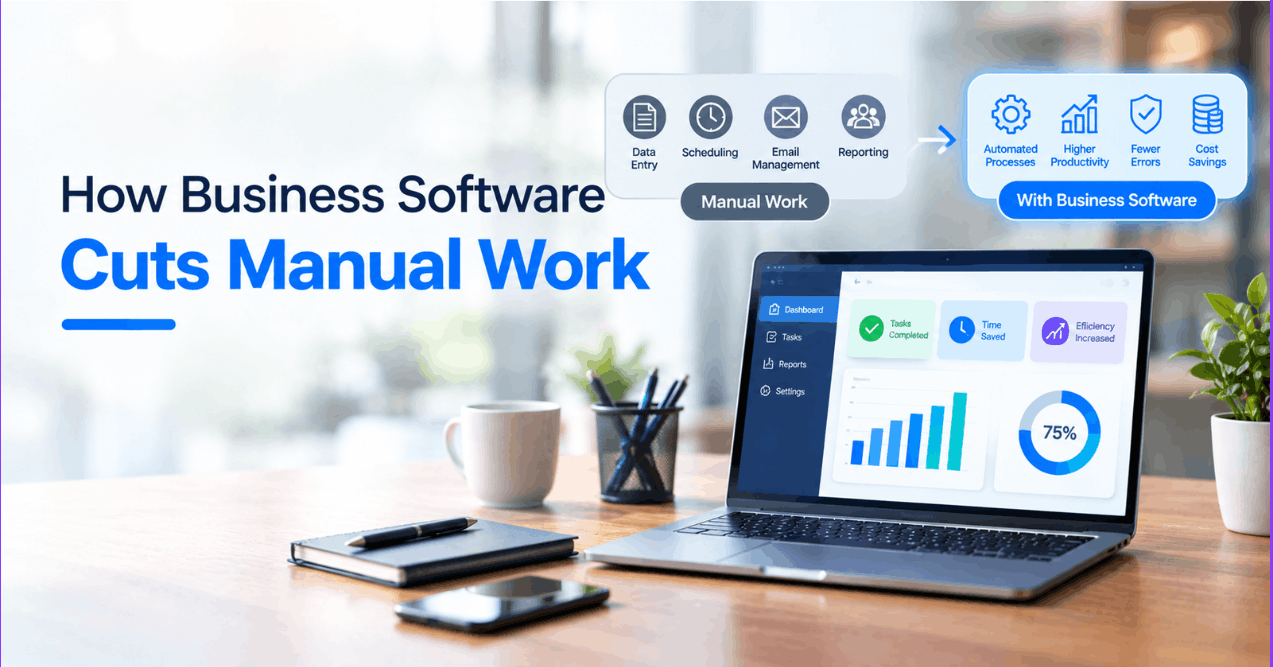

Manual work does not look dangerous at first. It might be a copied invoice here, a follow-up email there, or another spreadsheet updated before lunch.
However, these small actions gradually consume working hours and introduce errors. It leaves employees managing processes instead of improving them.
Business software changes that equation by connecting routine actions with -
* Predefined rules
* Shared data
* Automatic triggers.
Still, automation works best when companies target repetitive, predictable tasks. Automating a confused process only makes the confusion move faster, which helps nobody.
1. Employee Travel and Mileage Tracking
Travel reporting mostly involves -
* Handwritten notes
* Fuel receipts
* Calendar checks
* Spreadsheet entries.
However, a Mileage Tracking App captures trip details automatically. A mobile app development company can develop customized mileage and travel management applications that help businesses capture location data, expenses, and trip details directly through employees' smartphones.
More importantly, automated mileage tracking creates a dependable audit trail. In this case, managers can do the following:
a. Apply approval rules
b. Flag unusual entries
c. Connect verified records with payroll or accounting systems.
This makes the process easier to review. It also does not turn every claim into a lengthy back-and-forth discussion.
2. Invoice Processing and Payment Follow-Ups
Manual invoicing stretches across several disconnected steps. For instance, someone creates the invoice and another person checks it. Meanwhile, somebody else remembers to send a reminder. One incorrect figure or forgotten email can delay payment for days.
Accounting software does the following:
a. Generates invoices from approved orders
b. Applies tax rules
c. Monitor due dates
d. Triggers payment reminders.
However, good automation does not simply send messages on schedule. It also checks the invoice status first. This way, it prevents awkward reminders after a customer has already paid.
|
Manual Process |
Automated Process |
Operational Gain |
|
Staff enter invoice details repeatedly |
Order data generates the invoice |
Fewer entry errors |
|
Employees check due dates manually |
Software monitors payment status |
Faster follow-up |
|
Reminders depend on memory |
Rules trigger scheduled notices |
Consistent communication |
3. Customer Support Ticket Routing
A shared support inbox becomes complex rather quickly. Requests arrive with different urgency levels, technical details, and customer histories. Without automation, employees must read every message before deciding who should handle it.
As a result, response times become uneven.
Customer service software classifies requests by -
* Subject
* Keywords
* Account type
* Service-level agreement.
Then, the system routes each ticket to the appropriate queue. For instance, a billing question reaches finance support, while a system failure receives technical priority.
Even so, routing rules require regular review. Poorly configured categories might send customers in circles. Therefore, teams should monitor reassignment rates. Also, they must refine the logic whenever agents repeatedly move similar tickets between departments.
4. Inventory Updates and Reordering
Although inventory management contains plenty of repetitive activity, the consequences of a small mistake spread quickly. For instance, an incorrect stock count may trigger -
* Overselling
* Rushed purchasing
* Unnecessary storage costs.
Frankly, a spreadsheet struggles once several sales channels and warehouses enter the picture.
Meanwhile, inventory software does the following:
a. Updates quantities after each transaction
b. Reserves stock for confirmed orders
c. Issues reorder alerts when levels cross set thresholds.
Moreover, integrations with ecommerce, procurement, and warehouse systems create one operational record instead of several competing versions.
Useful automation rules may include:
1. Reordering frequently used items when available stock reaches a defined minimum.
2. Alerting managers when actual inventory differs from recorded inventory.
3. Preventing orders when reserved quantities exceed usable stock.
The software handles the routine checks. Nevertheless, managers still decide safety-stock levels, supplier priorities, and seasonal adjustments. That balance matters because automation supports judgment rather than replacing it.
5. Employee Onboarding and Access Provisioning
Usually, onboarding requires -
* Forms
* Policy acknowledgments
* Equipment requests
* Account creation
* Training assignments.
When departments manage these steps through email, new employees might wait days for basic access. Besides slowing productivity, inconsistent provisioning may create security gaps.
Meanwhile, workflow software might launch an onboarding sequence after HR approves a new hire. Subsequently, it assigns tasks to -
a. IT
b. Facilities
c. Payroll
d. The employee’s manager.
Role-based templates can also determine which applications, permissions, and training modules each person receives.
However, access automation needs strict controls. The workflow should follow the principle of least privilege. It must also log every approval and remove access when an employee changes roles or leaves.
Otherwise, faster provisioning simply creates faster accumulation of unnecessary permissions.
Automation Should Remove Friction, Not Oversight
The strongest automation candidates share three qualities:
1. High repetition
2. Clear rules
3. Measurable outcomes.
Mileage reporting, invoicing, ticket routing, inventory control, and onboarding fit that pattern. Each process contains predictable steps that software can execute consistently.
Still, business software needs -
a. Responsible configuration
b. System integration
c. Periodic review.
Once those foundations exist, automation cuts administrative drag. Meanwhile, it also preserves human control where judgment actually matters. The real payoff is fewer routine clicks and cleaner operational data. Also, it ensures more attention is available for work that moves the business forward.