







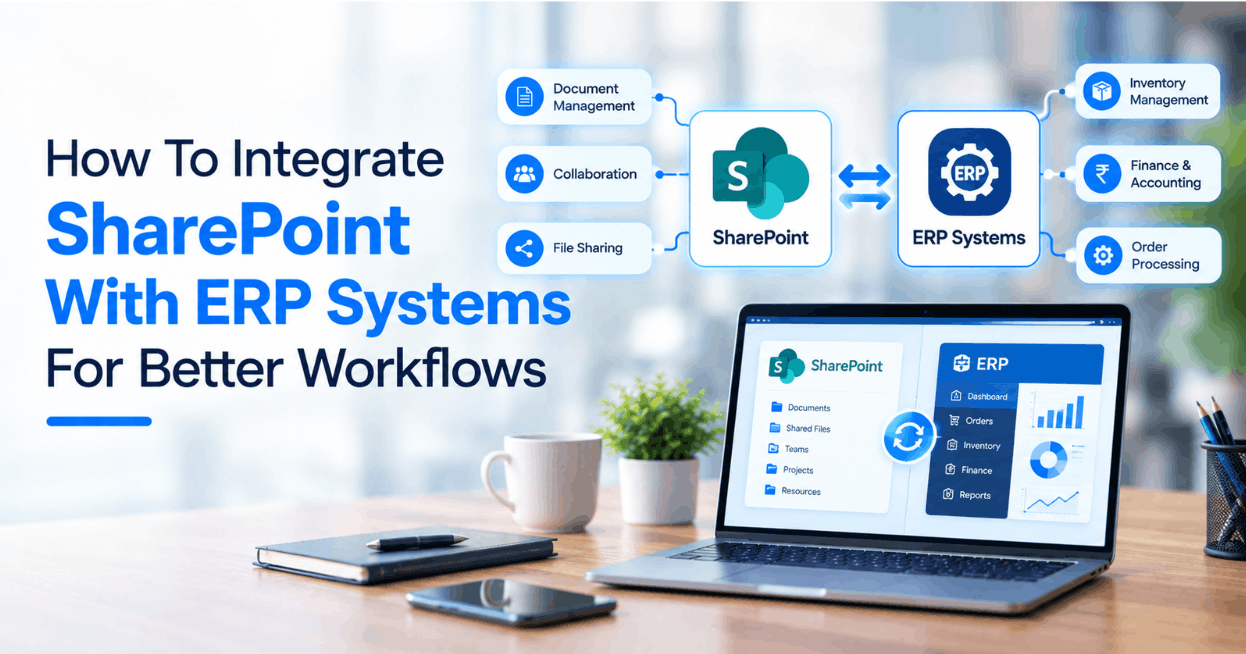

Most organizations running both SharePoint and an ERP system operate two platforms that were designed to complement each other but instead function as parallel environments that rarely communicate. Documents generated from ERP transactions live in SharePoint without any connection to the records that produced them. Approval workflows managed in SharePoint have no visibility into the operational data held in the ERP. Finance teams reconcile between the two environments manually because the systems that should be sharing data are not. The operational cost of that disconnection accumulates quietly until someone measures it and discovers it is considerably higher than the integration work required to address it would have been.
SharePoint integration with ERP systems is the connection layer that eliminates this disconnect, creating a unified environment where documents, data and workflows flow between SharePoint and the ERP without manual intervention. This guide covers what that integration actually involves, what makes it succeed in practice and where the most significant operational value tends to be generated.
Key Takeaways:
* SharePoint integration with ERP systems eliminates the manual processes and data silos that create operational friction between document management and transactional data environments.
* Document management, data synchronization and workflow automation are the three integration dimensions that together deliver the most complete operational benefit.
* Integration architecture decisions made at the outset determine how maintainable and extensible the connection remains as both systems evolve.
* The most valuable integrations are the ones that connect SharePoint workflows to real-time ERP data rather than working from periodic data exports.
* Post-integration monitoring and maintenance are as important to sustained value as the quality of the initial implementation.
Why the Gap Between SharePoint and ERP Systems Costs More Than Organizations Realize
The inefficiency created by disconnected SharePoint and ERP environments is rarely visible as a single large cost. It accumulates as friction across dozens of daily operational processes. A purchase order approved in an ERP workflow needs to be manually attached to the corresponding SharePoint document library. An invoice processed in the ERP has no automatic connection to the vendor contract sitting in SharePoint. A project status report in SharePoint references financial data that someone had to manually extract from the ERP earlier that morning and which may already be out of date by the time it is read.
None of these problems are dramatic in isolation. Together they represent a meaningful operational overhead and, more significantly, a persistent accuracy risk that affects decision-making quality across the organization. SharePoint ERP integration addresses these problems by making the connection between document management and transactional operations systematic rather than dependent on manual effort that introduces delay and error.
Connecting Documents to ERP Transactions
The most immediately valuable dimension of SharePoint integration with ERP systems for most organizations is the automatic association of documents with the ERP transactions they relate to. Purchase orders, sales orders, invoices, contracts, delivery notes and compliance documents generated as part of ERP-driven processes should be stored, organized and retrievable within SharePoint in a structure that reflects their relationship to the ERP records they document rather than in a folder hierarchy that only the person who created it fully understands.
Effective document integration creates this connection automatically. When a purchase order is created in the ERP, the corresponding document is automatically stored in the correct SharePoint location with metadata tags derived from the ERP record that make it findable by order number, vendor, date range, approval status and any other field relevant to how the business needs to retrieve it. When the invoice arrives and is matched in the ERP, it is automatically linked to the original purchase order document in SharePoint, creating a complete procurement document chain without anyone manually managing the filing.
This level of document organization sounds straightforward until you have operated in an environment where it does not exist and spent time trying to locate documents that should be instantly retrievable. The productivity impact of getting it right is real and consistent across the organizations that have implemented it properly.
Synchronizing ERP Data With SharePoint Content and Lists
Beyond document management, SharePoint ERP integration enables SharePoint lists, pages and content to display live data from the ERP rather than static snapshots that someone manually updated at some point in the recent past. Customer account information from the CRM module of the ERP surfaces in SharePoint customer pages. Project financial status from the ERP appears in SharePoint project sites. Inventory levels from the ERP update SharePoint dashboards used by warehouse and logistics teams.
The technical approach to data synchronization varies depending on the ERP platform, the volume and frequency of data changes and the latency requirements of the specific use case. Real-time API-driven synchronization is appropriate for operational data where decisions are being made from the SharePoint interface and accuracy matters immediately. Scheduled synchronization on defined cycles is appropriate for reporting data where slight latency is operationally acceptable and the volume of data being moved makes real-time synchronization disproportionately complex to maintain.
The common mistake in data synchronization design is applying the same approach to all data types regardless of their operational characteristics. A well-designed integration distinguishes between data that needs to be current to the minute and data that is adequately served by hourly or daily synchronization, matching the technical implementation to the operational requirement rather than imposing a uniform approach that either over-engineers low-sensitivity data connections or under-serves high-sensitivity ones.
Automating Workflows Across SharePoint and ERP Systems
Workflow automation is where SharePoint integration with ERP systems delivers some of its most significant operational impact. Approval workflows that require input from both document-level information in SharePoint and transactional data in the ERP can be designed to pull both automatically rather than requiring the approver to consult two separate systems. Workflows triggered by ERP events can initiate document creation, routing and storage processes in SharePoint without manual intervention. Compliance workflows that require document evidence can automatically retrieve the relevant SharePoint documents when an ERP record reaches the appropriate stage.
Purchase order approval is the workflow most commonly cited by organizations that have integrated SharePoint and their ERP. The approver receives a SharePoint workflow task that surfaces the purchase order details from the ERP, the relevant vendor contract from the SharePoint document library, the budget availability from the ERP financial module and the approval history from previous transactions with the same vendor, all within a single interface. The approval decision is recorded in both systems simultaneously without the approver needing to act in either system independently. The operational improvement this represents over the disconnected alternative is substantial and immediately apparent to everyone involved in the process.
Techasoft's SharePoint development services covers the full range of ERP integration requirements, combining technical depth across SharePoint's development framework with the integration architecture experience that connecting document management to complex ERP environments requires.
What Effective Integration Architecture Actually Requires
The organizations that achieve sustained operational value from their SharePoint and ERP integration investments are consistently the ones that approach the architecture work with the same rigor they apply to the functional requirements, including defining which data flows need to be real-time and which can be batched, designing error handling and monitoring infrastructure before the integration goes live rather than after the first failure reveals a gap, building the integration on APIs and supported connection methods rather than workarounds that break when either system updates and planning for the maintenance requirements that a live integration between two actively developed platforms will generate over time.
The integration that is straightforward to implement is not always the integration that is straightforward to maintain. Architecture decisions that save implementation time by taking shortcuts tend to generate disproportionate maintenance overhead over the operational life of the connection.
Final Thoughts
SharePoint ERP integration done well creates an operational environment where the boundary between document management and transactional operations becomes invisible to the people working within it. Documents are where they should be, connected to the records that produced them. Data is current and accessible without manual intervention. Workflows span both systems without requiring people to operate in each independently. The investment required to achieve that outcome is meaningful but the operational cost of not achieving it, paid in manual processes, data inaccuracy and productivity friction every working day, is typically considerably higher over any reasonable evaluation horizon.
FAQs
1. Which ERP systems can be integrated with SharePoint?
SharePoint can be integrated with a wide range of ERP systems including SAP, Oracle, Microsoft Dynamics 365, NetSuite, Sage, Epicor and other platforms. The specific integration approach varies by ERP platform depending on the APIs and connection methods each system supports.
2. How long does a SharePoint ERP integration project typically take?
Timeline depends on the scope of the integration covering the number of data flows, document types and workflows being connected. A focused integration addressing a specific document management and workflow requirement can be completed in six to ten weeks. A comprehensive integration spanning multiple document categories, data synchronization requirements and workflow automations typically takes twelve to twenty weeks.
3. Should SharePoint ERP data synchronization be real-time or scheduled?
The right approach depends on how the data is being used within SharePoint. Operational data that informs decisions being made in real time requires real-time synchronization. Reporting and reference data where slight latency is operationally acceptable is well served by scheduled synchronization. A well-designed integration applies the appropriate approach to each data type rather than a uniform approach across all of them.
4. What are the most common causes of SharePoint ERP integration problems?
The most consistent causes are insufficient planning for error handling and monitoring which leaves failures undetected, integration built on unsupported connection methods that break when either system updates, inadequate data quality in source systems before integration is built on top of them and treating the integration as a one-time project rather than an ongoing architecture requiring maintenance.
5. What ongoing maintenance does a SharePoint ERP integration require?
Ongoing maintenance covers monitoring integration health and resolving errors promptly, managing the impact of updates to either SharePoint or the ERP on integration logic, updating data mappings and workflow configurations when business processes change and expanding integration scope as new operational requirements create additional connection needs between the two environments.



Post Comments